EasyFits Avatar Creation Design
PROJECT OVERVIEW
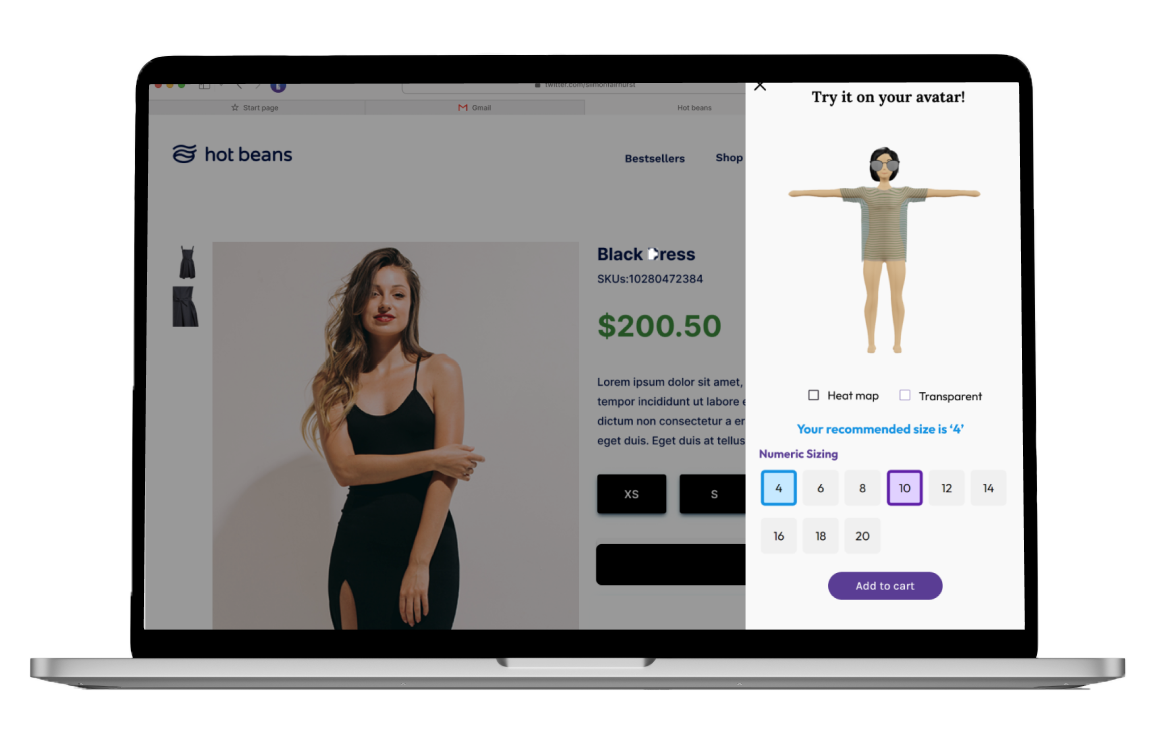
With the website and sign-up process set up, it was time to begin to working on the main product, what EasyFits were selling, that is, a virtual clothing try-on platform. From research, we gathered it was best to design this product as something easily accessible to users, both who have an existing avatar created and new customers, right from online-stores as they shop. This is where the idea of integrated a widget online on client stores was established. This way customers are able to shop and try-on the items of clothing as they shopped online. Increasing sales for clients and increasing use of our technology. This widget was implemented as simple button displaying a pop-up on the side of a screen. Simple, easy-to-use and chique.
My responsibilities:
Why a widget?
Having observed our competitors, we noticed that many more were beginning to integrate their sizing tools directly into client stores. This meant that customers were able to find their recommended sizes for specified items of clothing, seen as thorough clothing fit can vary. With EasyFits' virtual try-on technology, we understood that we could not only give users their recommended sizes but also a visual on their very on created avatars, or a generic avatar for new users.
Intial designs
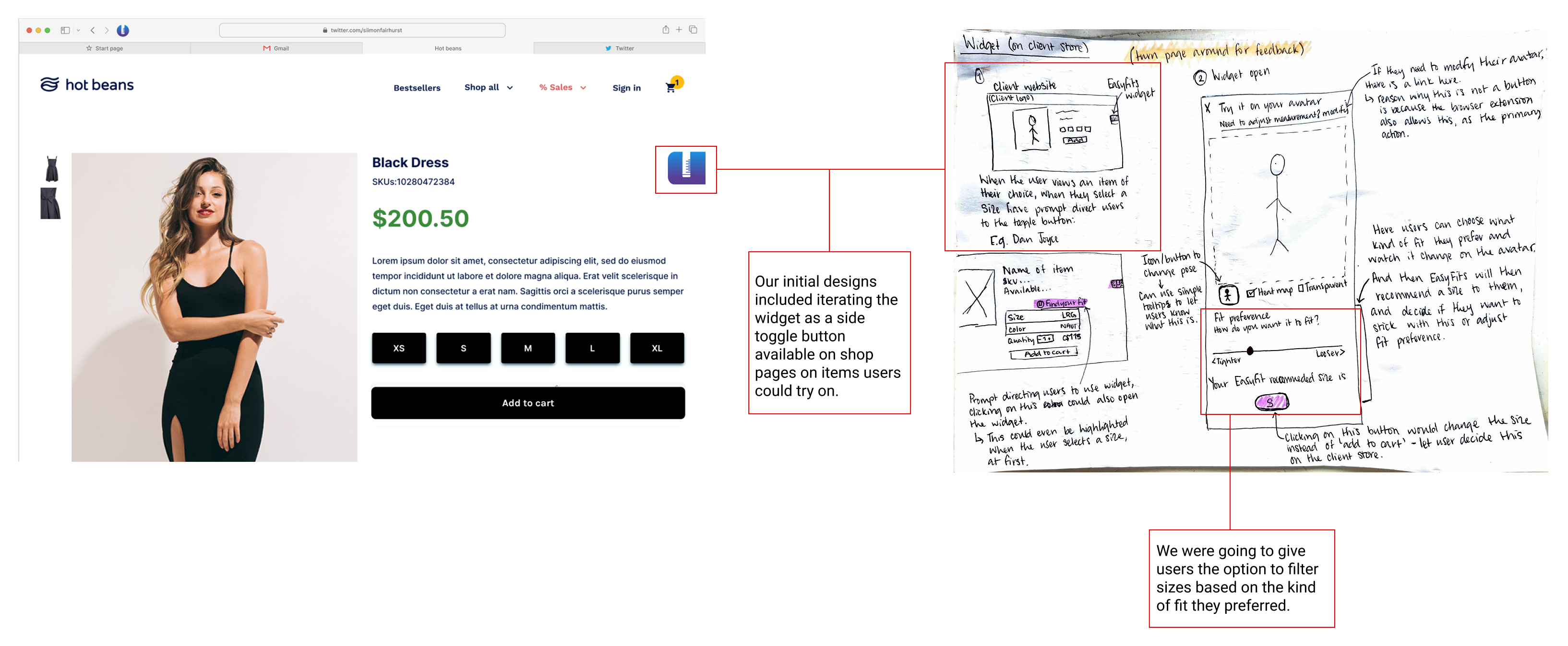
The idea was to have the widget displayed on the page but not forced its use, rather letting customers discover it and explore the kind fit they want.
However, after running some initial tests to gather feedback of these designs, I quickly discovered this approach was not only out of sight for many users but also has many back-end limitations. After discussing with developers and the team, it was decided we would then implement the widget as a button availble for users to explore, and rather than sizing according to kind of fit, we would give the users the option to explore the available sizes on the avatar they generate.
EasyFits button example:

An issue we encountred...
We needed to release a product, however after discussing with the developers and engineers, the try-on technology was still a work in progress. But this didn't mean that we would stop design work, the testing still needed to be done so that once the technology is ready it could be seamlessly implemented into the widget. Therefore, it was decided that in the meantime users would recieve their recommended sizes based on the measurements they provide. This meant they were still getting a chance to create an avatar (exciting them about whats to come) but still get to use the widget to find their size.
First designs without the try-on technology
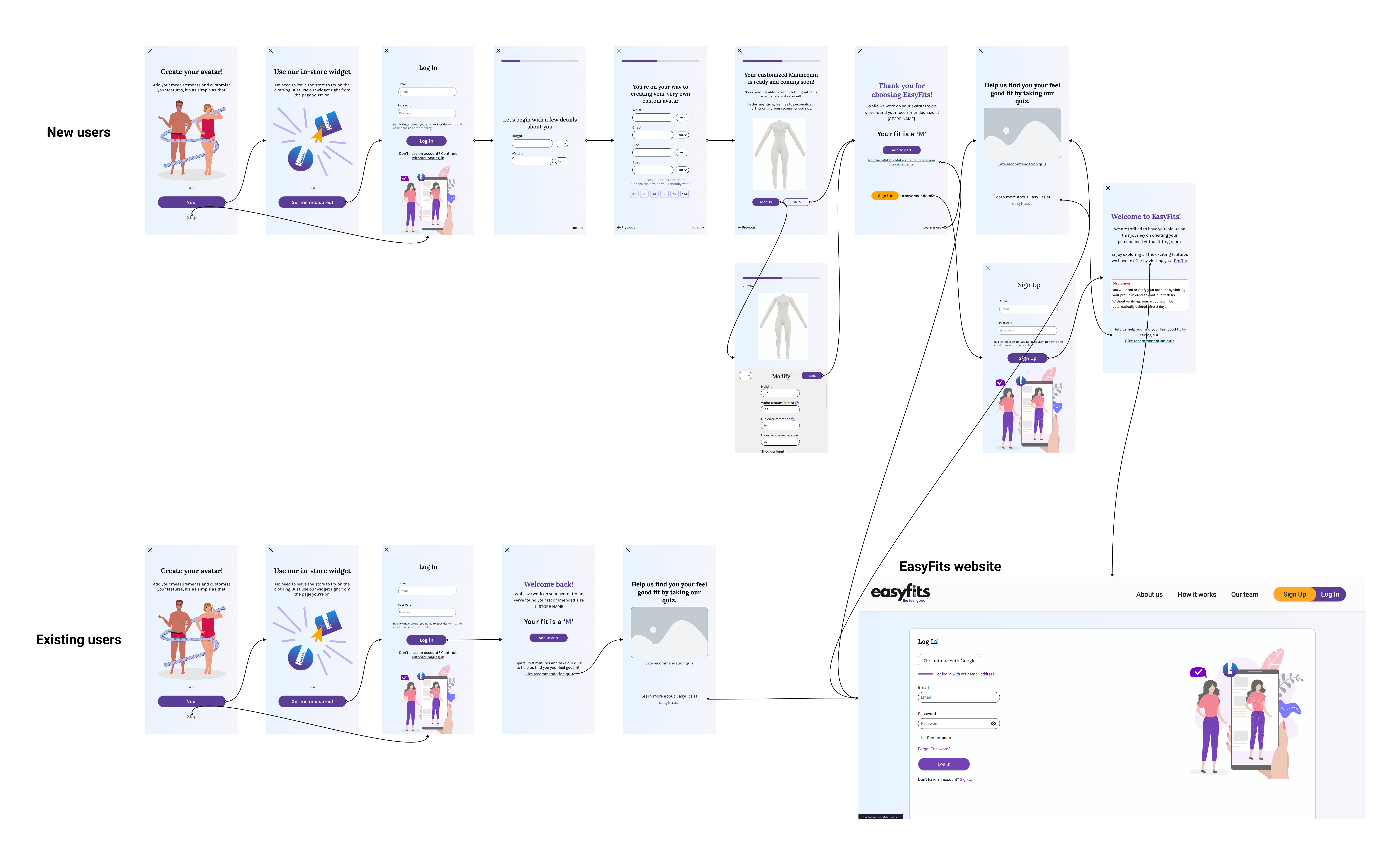
Seen as though the try-on technology was still emerging in the background, we still needed the end goal to entice users into signing up and creating their avatars ready for when they're live for virtual try-ons. This is why we made sure to have multiple ways of leading users back to the EasyFits sign-up page on the website.
Quizzes were another way we tried to keep the user engagement, by trying to gamify the process. Encouraged users to take the quizzes would not only lead them back to the website but would also help us gather sizing information to continue to improve the virtual try-on experience.
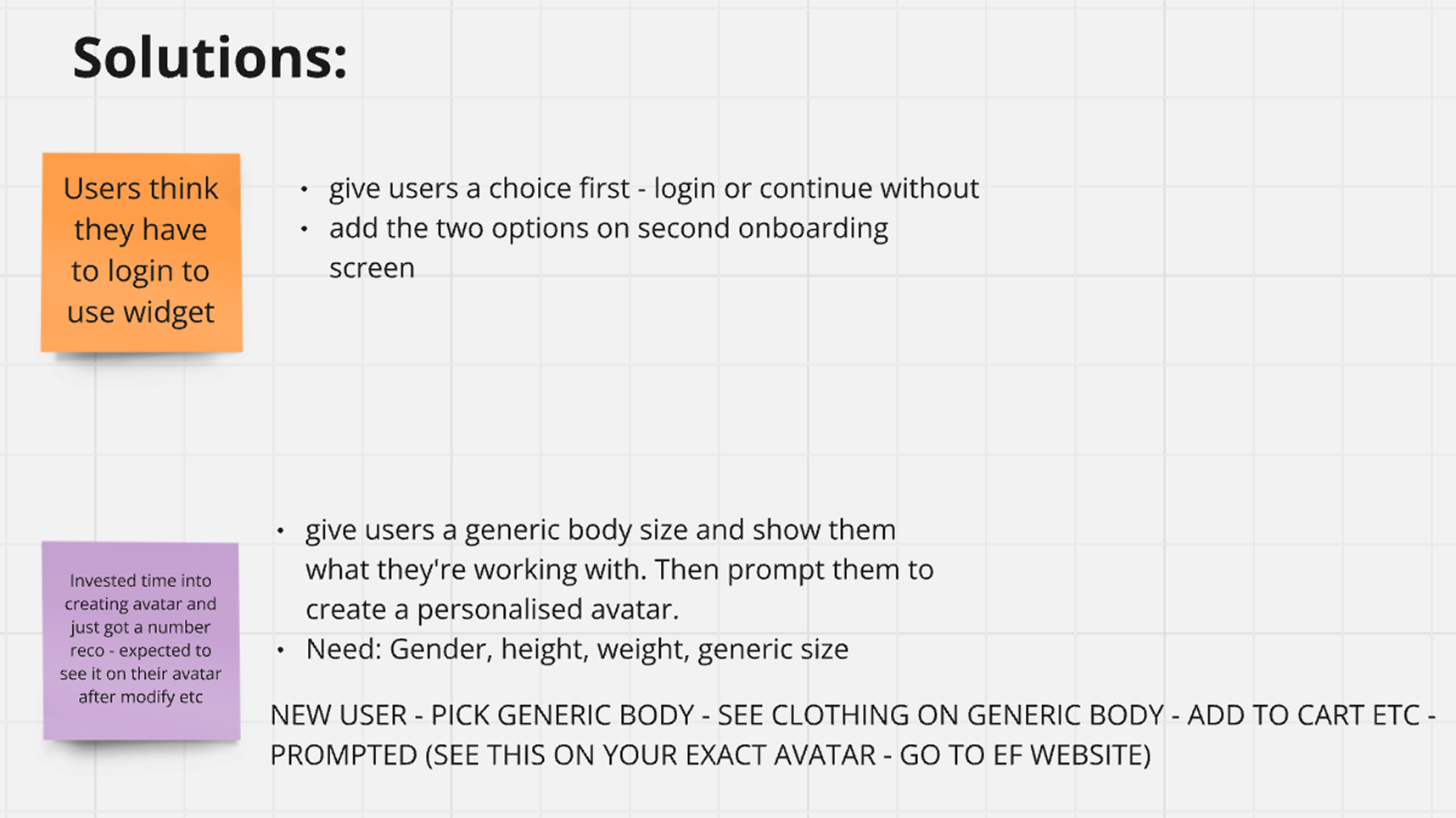
But of course the testing did not end there. I still needed to understand if this flow worked better for when the virtual try-on was ready. Geurilla testing was carried out by using an interactive prototype live on a EasyFits testing website to maximise the experience and gather valuable data. After anaysis, I found the two main issues users were encountered with were one, users thought they had to login to use the widget, and two, they felt underwhelmed to recieve just a recommended size after giving all that information.
Therefore, the solutions we came up with included:
New widget flow
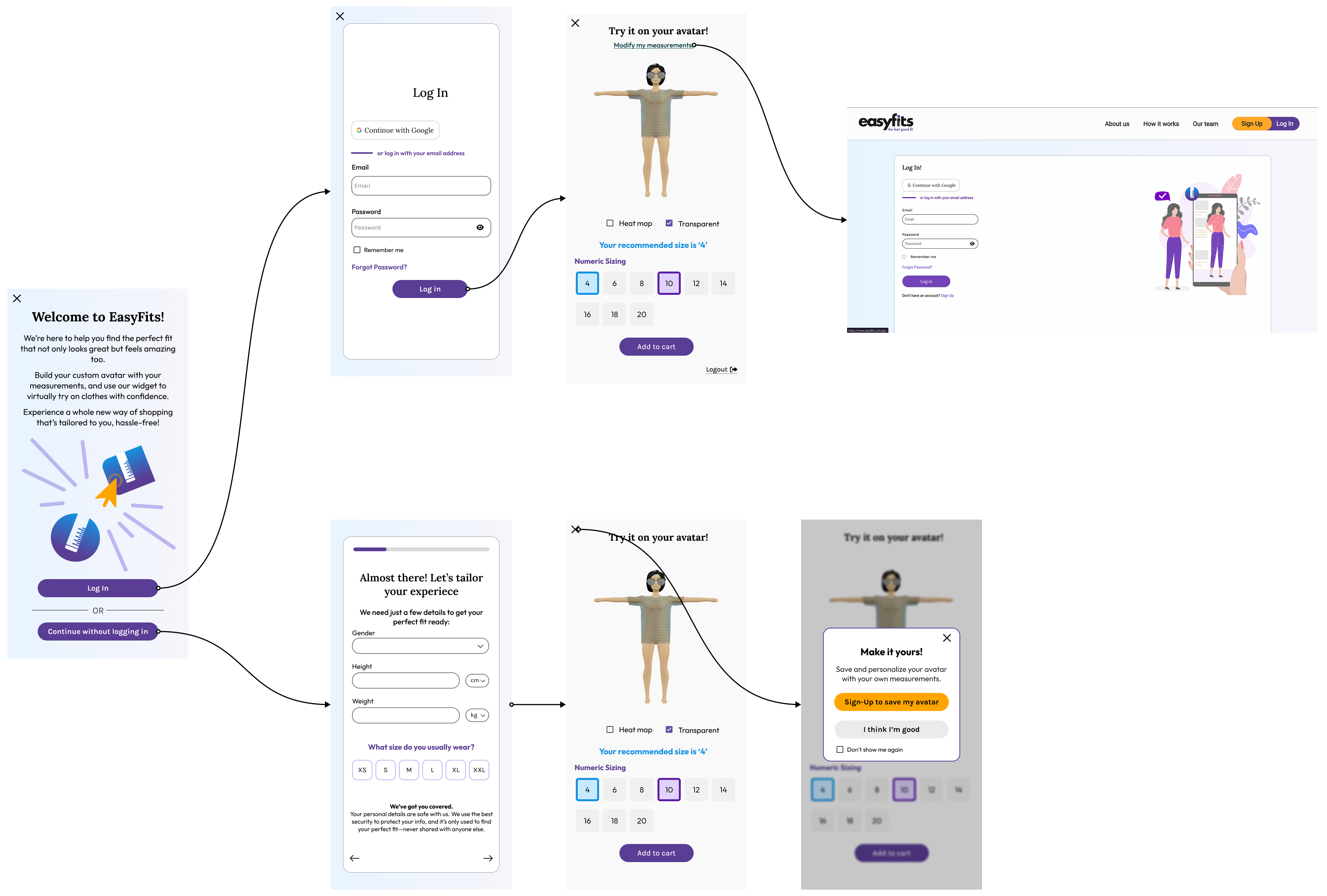
This time we kept the flow much shorter. Clearly indicating that logging in is an option and the keeping the onboarding limited to just the single screen in the beginning.
For those new or continued without logging in were also giving the option to save and personalise their avatar further by signing up, increasing enagement and sign-ups. However, developers ensured that their current data would not be lost should they continue browsing other clothing items.
The future...
I wished to have had a chance to continue improving this product, however, with the company engaged in ongoing discussions with key stakeholders regarding funding and future, this had impacted the stability and continuation of my role as a designer. I do believe this product has great potential, and should the company choose to continue, I would be proud of what I helped produce and hope users would enjoy their experience with EasyFits.