EasyFits Avatar Creation Design
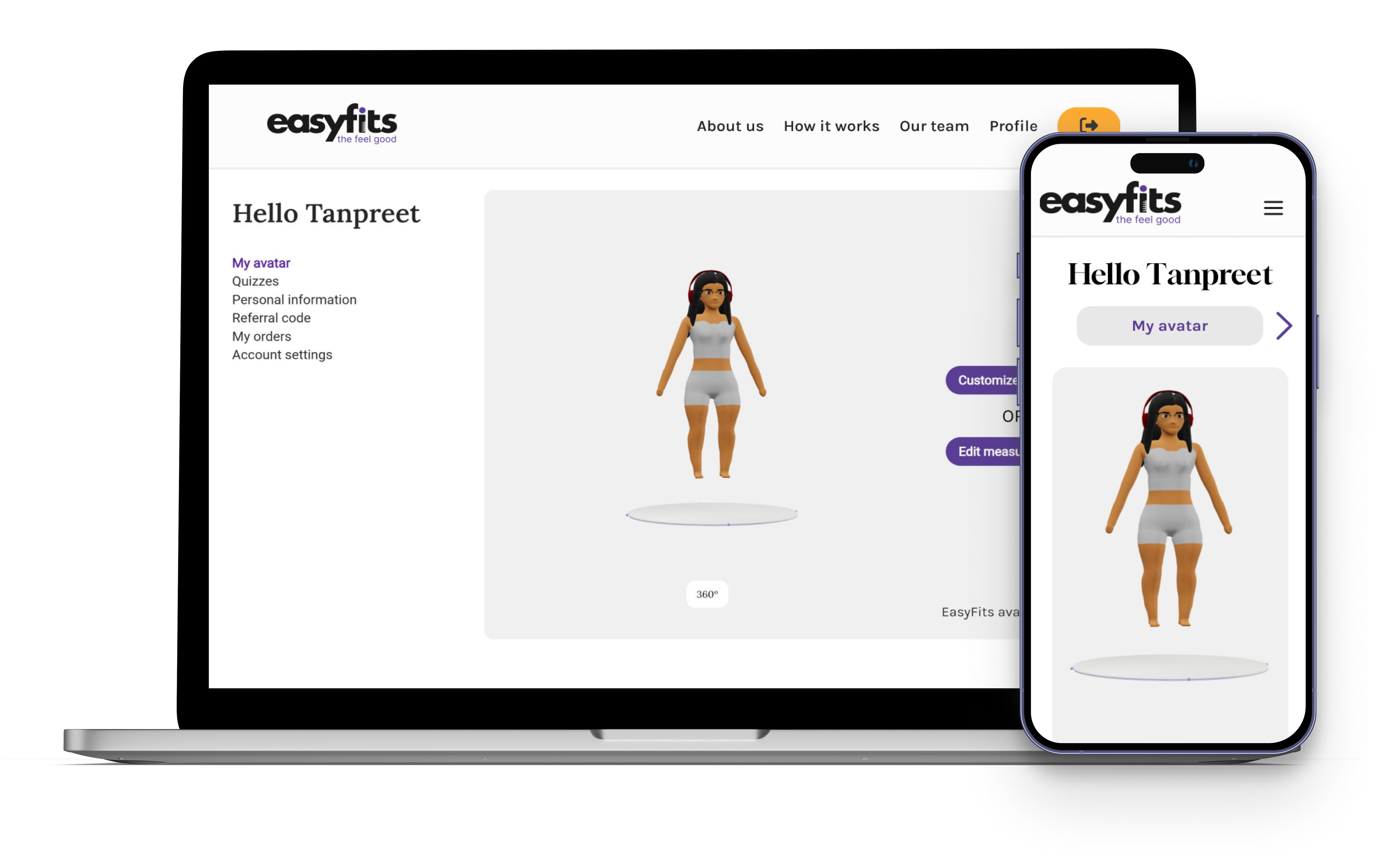
PROJECT OVERVIEW
As EasyFits set out to lauch a groundbreaking virtual wardrobe to simplify online shopping, the first critical step was enabling users to create their custom avatars. Since the accuracy of the fit relies on users inputting their body measurements, it was essential to both encourage them to provide this vital information.
My responsibilities:
User Research
WHAT IS THIS PROJECT ABOUT?
The problem:
I initally joined the project to design screens specifically for the feature customisation section when creating a digital avatar. However, after running some quick user tests, results showed that the onboarding process was not only confusing but also tedious. As a result, we decided to approach this as a new project and redesign the entire avatar creation process, ensuring that the onboarding follows a quick and easy flow.
What it looked like before
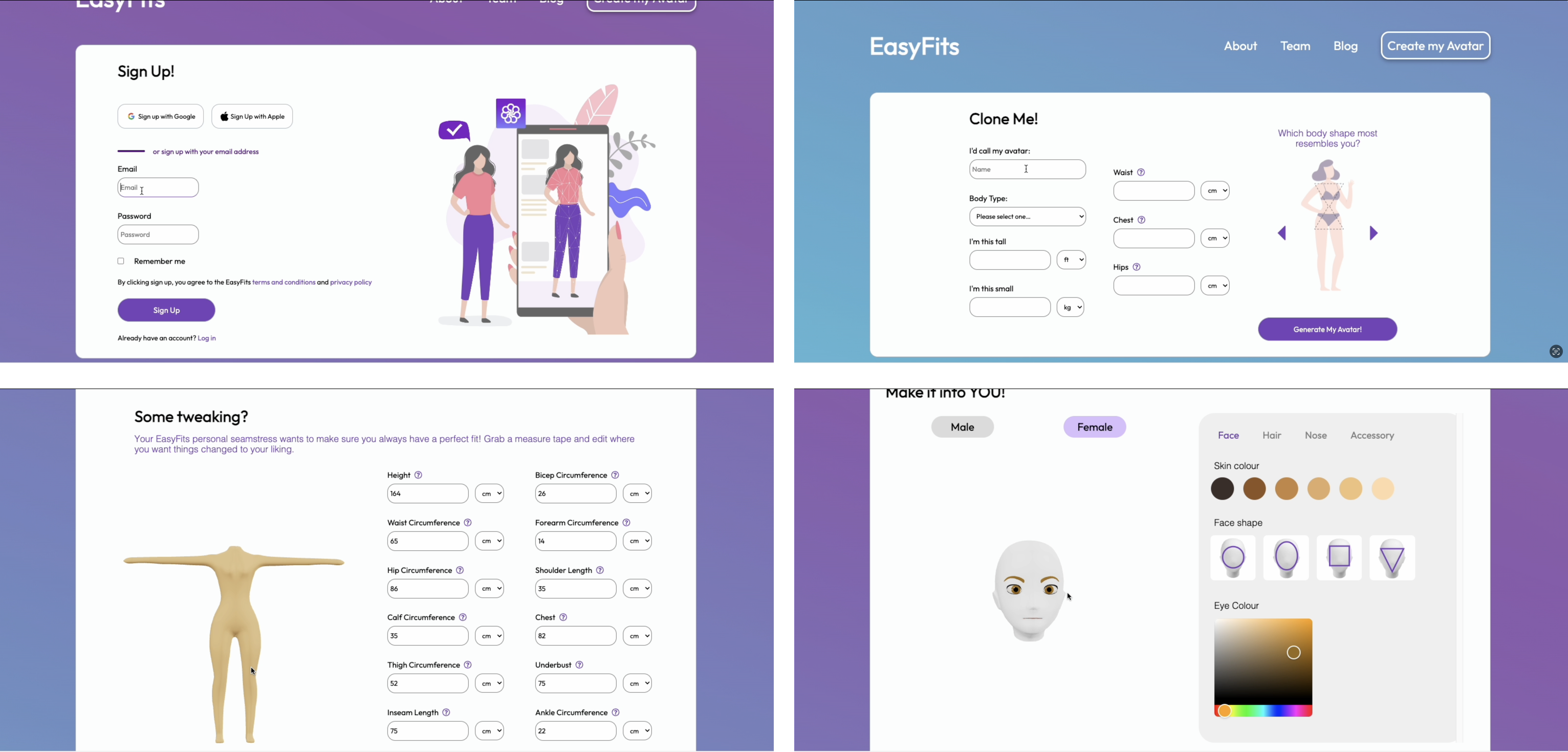
Too much information was being asked from users right from the beginning. This was causing early drop-off rates and confusion amongst users, especially since most users were not aware of their mesaurements and found it 'difficult and tedious' to figure this information for themselves.
What did pliminary testing tell us?
Before we finalised the process, we conducted pliminary testing both in-person and remotely with various users and our analysis suggested numerous changes before we could proceed.
Therefore, using a quatitavtive approach, the results from our testing revealed:
Lack of a progress bar left users unaware of the process length
Too much information to fill at once
Measurement units had to all individually be changed if needed
Lack of clear instructions/descriptions
Unclear tooltips
Features being skipped during customisation
Some users felt the process was 'forced'
Design didn't feel uniformed
Prototyping
After iteration

SO, WHAT ACTUALLY CHANGED?
The information architecture was reorganised. In the previous design all inputs we asked users for felt overcrowded on a the pages, which it got overwhelming and lead to early drop-offs. We alos had assumed that users would be able to provide all of the information requested. Learnign from this, we changed to adapt less busy screens, whilst still asking for the same information, but giving users more control over how much they can see and how much they choose to fill out in the moment.
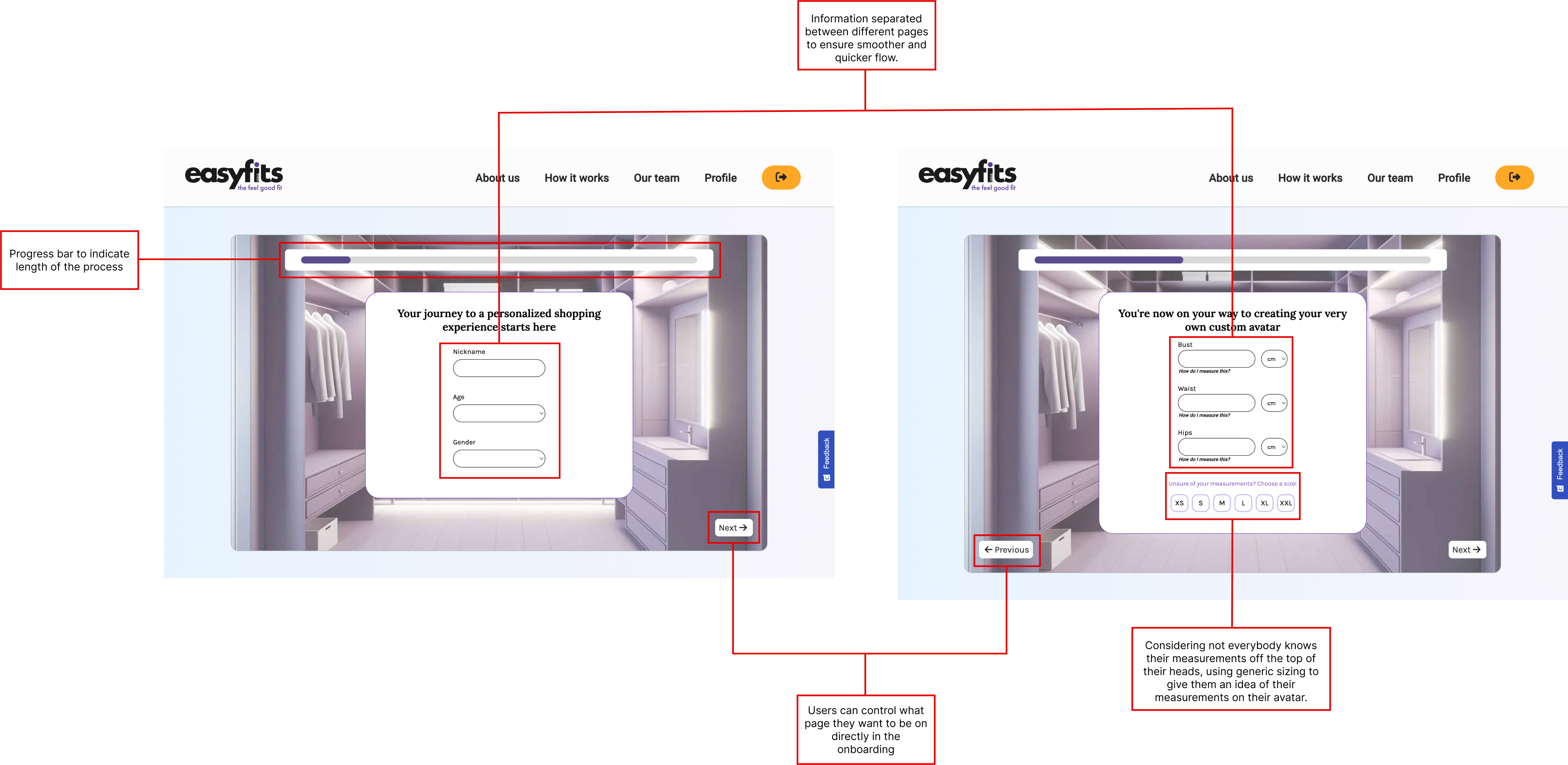
We added a clear progress bar at the top, which would help to indicate users' progress, helping to ease the uncertainy they would experience. And considering most people aren't aware of their body measurements, we provided users with the option to choose from generic sizes. The team had done prior research on what the realistic measurements for each size would be based on the height and weight users enter, and this would in turn generate an avatar as close as possible to the user's body.
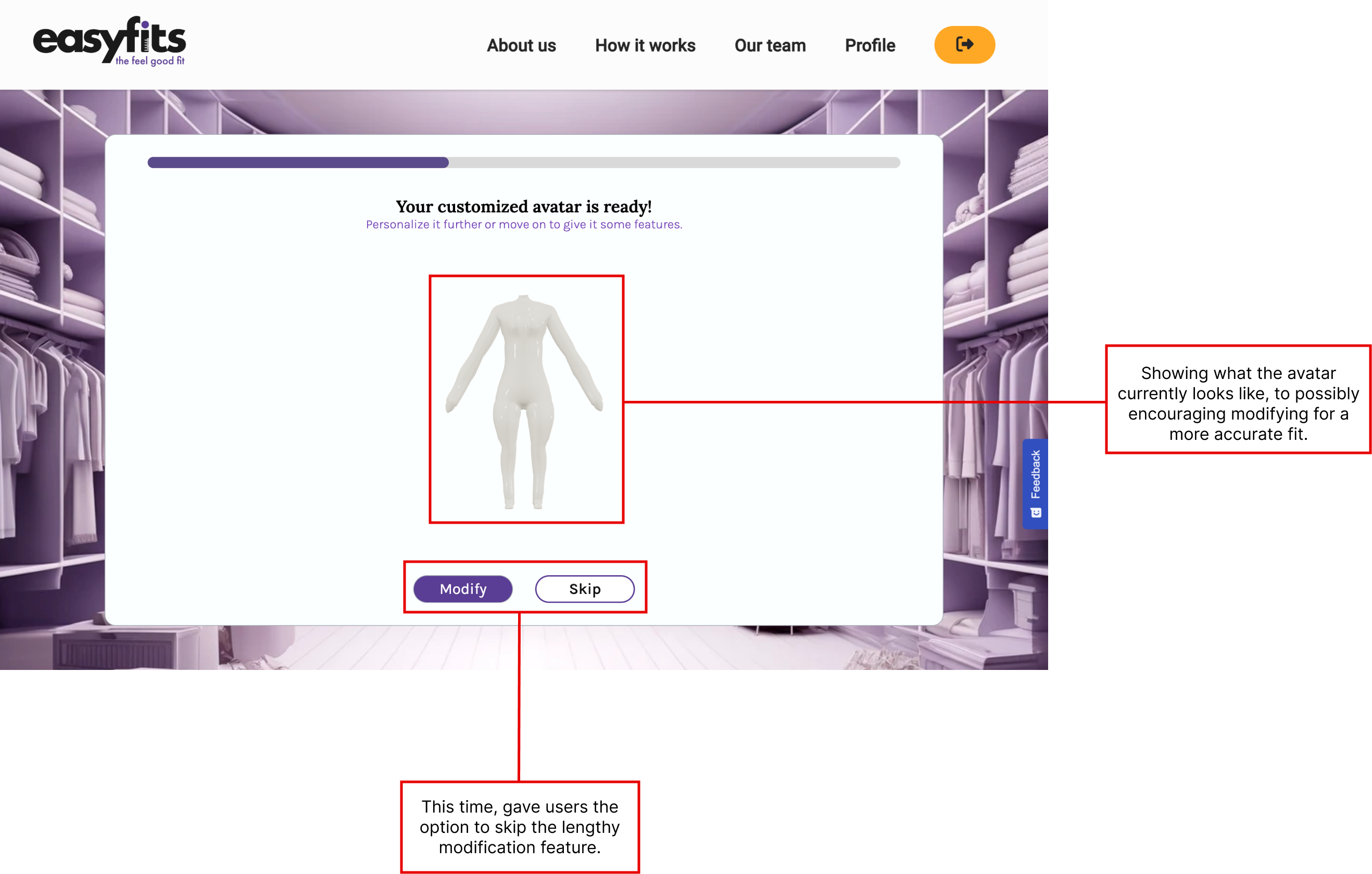
To not make the process 'feel forced', users now had the option to continue making detailed moditfications on the avatar generated from them or a chance to skip this for the moment. This step allowed giving users more control over thier information and ensured the process remained quick and easy.
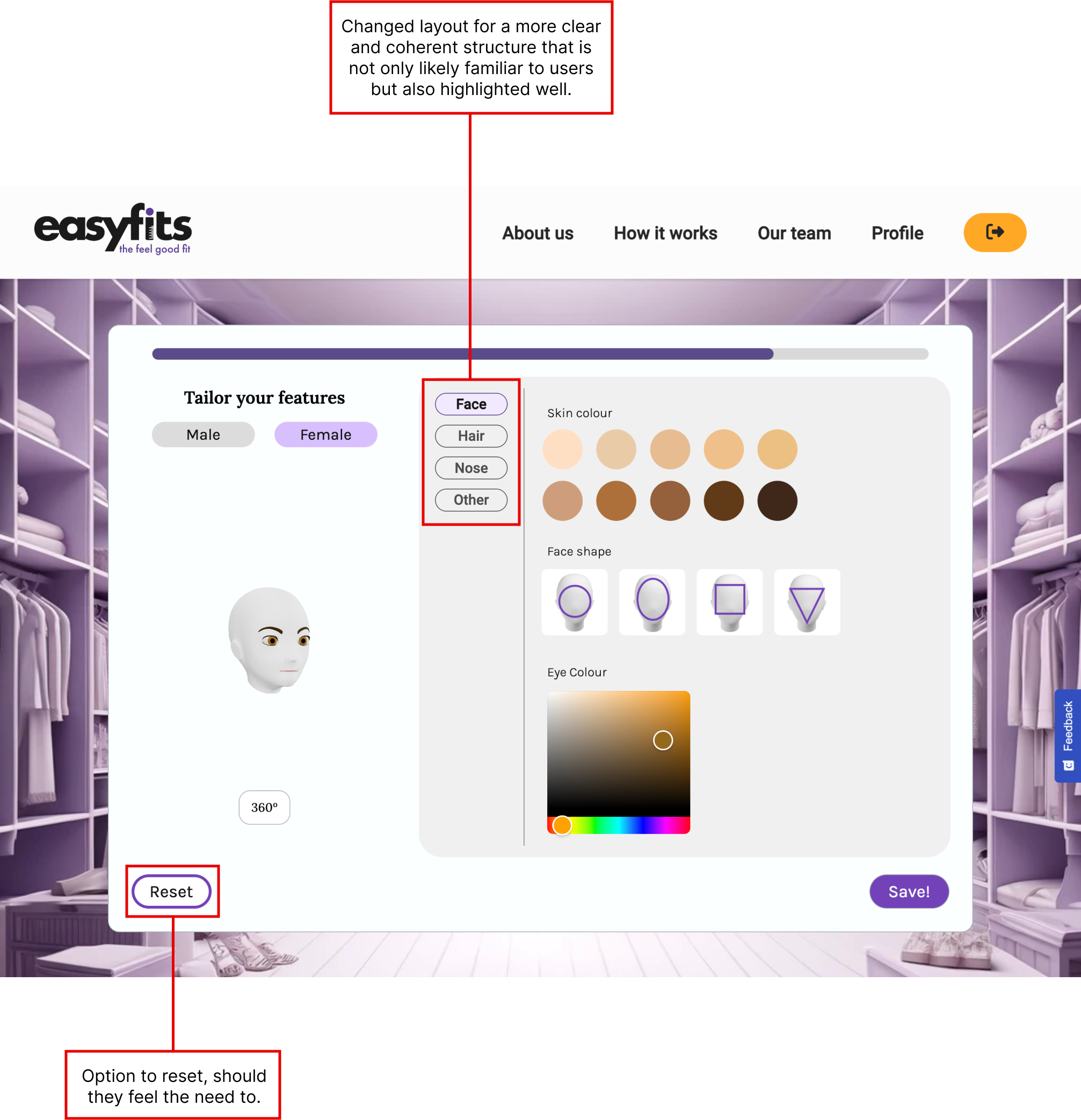
Lastly, as many users were not completing the entire feature customisation due to the categories being unclear, the layout was changed to adapt a more familar layout. Not only would this allow a better coherent structure as users make their way down the list, but selected categories were clearly highlighted which meant progress could be tracked.
Full reset options also became available to users should they feel the need to. This was added both to the feature customisation and modify sections.
WHATS AT THE END OF ALL OF THIS?
After avatar creation, users were directed to their profile page, and here it was made clear that they are able to modify their avatars at any time should they feel the need to, or they could simply explore the quizzes, which not only allowed to keep enagement and motivate users, but also would help us collect data so that we could continue to improve the avatar generation.
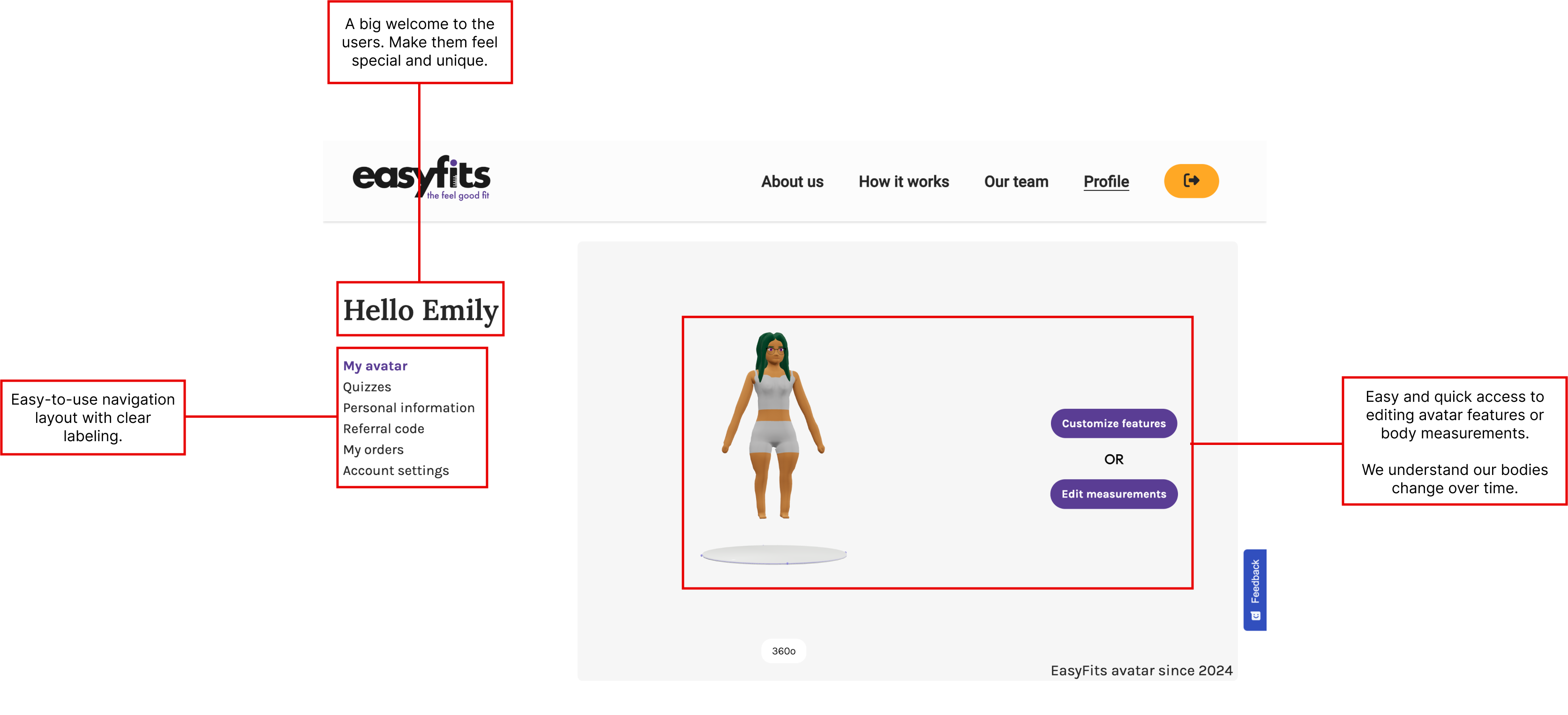
As the product continued to expand, future plans included adding a list of stores users would be able to use their avatars to try-on clothes and perhaps even give them a chance to try-on testing clothes right from their profile as client stores prepared behind the scenes.
Want your own EasyFits avatar? Sign-up to view the process live.